For Microsoft 365

Email signatures for Microsoft 365

One admin connects Google Workspace and rolls out on-brand signatures across the whole team. Centrally managed, sourced from the data already in your directory, live in Gmail within minutes.

No onboardingYour mail never passes through usNothing to install
Start with Signivo

14-day free trial, no credit card

EU-hosted in Germany

Never reads your emails

Minimal data access by design

4.9 on OMR Reviews

How it works

Connect, sync, deploy
- within a few clicks

One admin, no IT project. Here is what actually happens inside Google Workspace, and where it differs from server-side tools.

Step 1

Connect Workspace

One admin authorizes Signivo once via Google OAuth. No per-user setup.

Step 2

Sync your directory

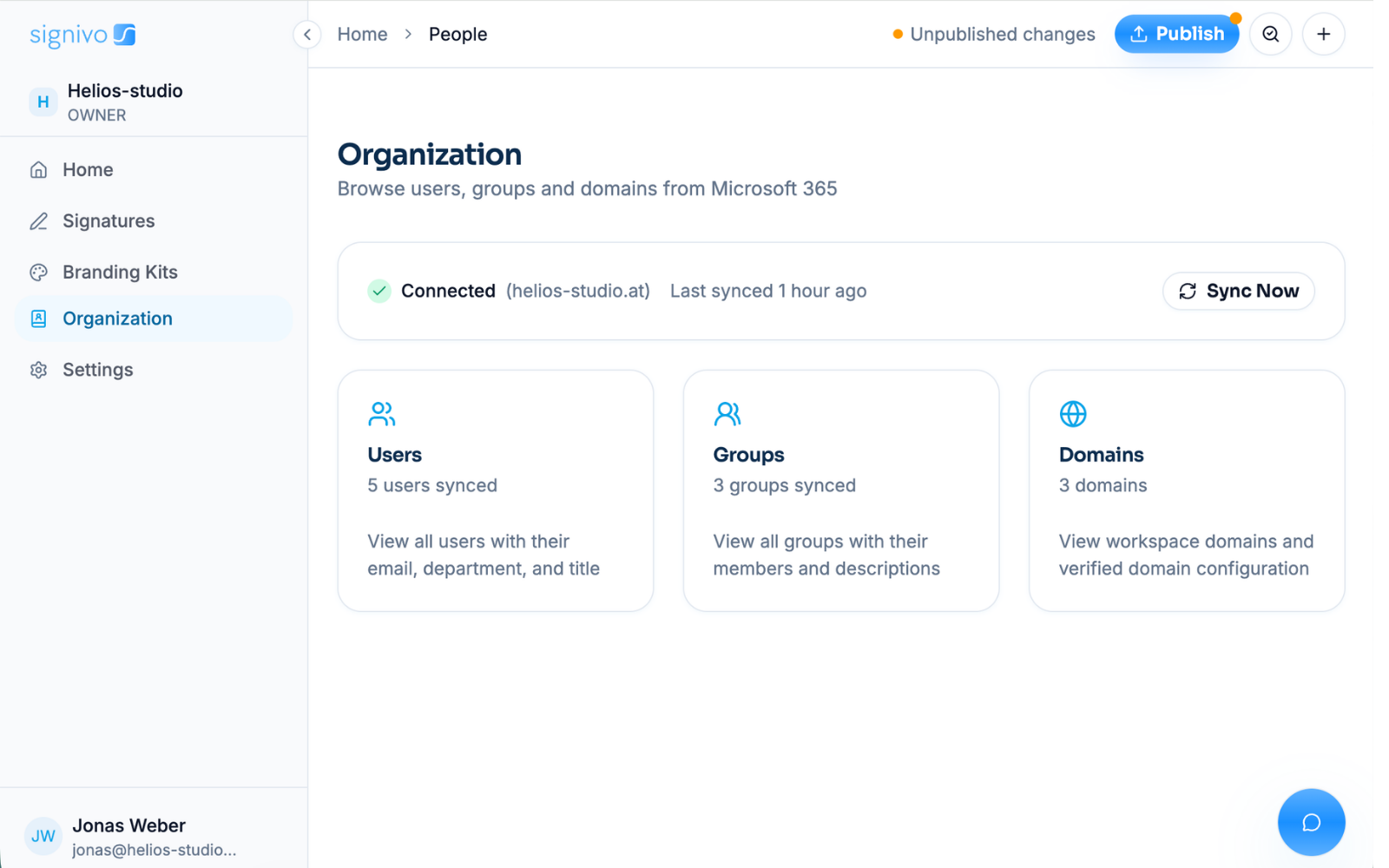
Names, contact information, titles, teams, locations and departments sync continuously from your directory, as well as new hires and changes in individual information.

Step 3

Deploy to Gmail

The right signature per team is written into each colleague's Gmail mailbox. Your email is never routed through us.
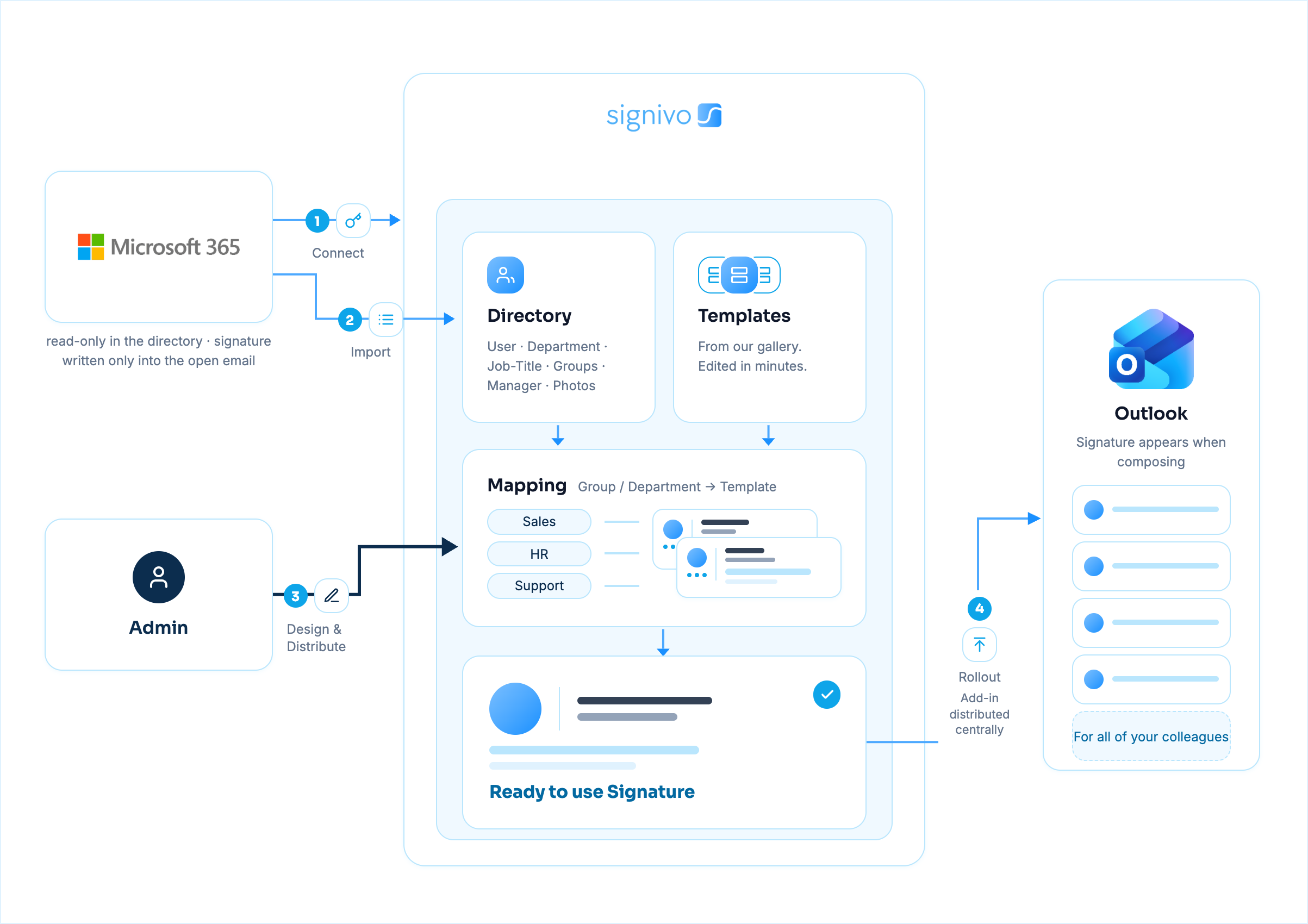
MS365 Setup Diagramm
Templates

Start from a template, not a blank box

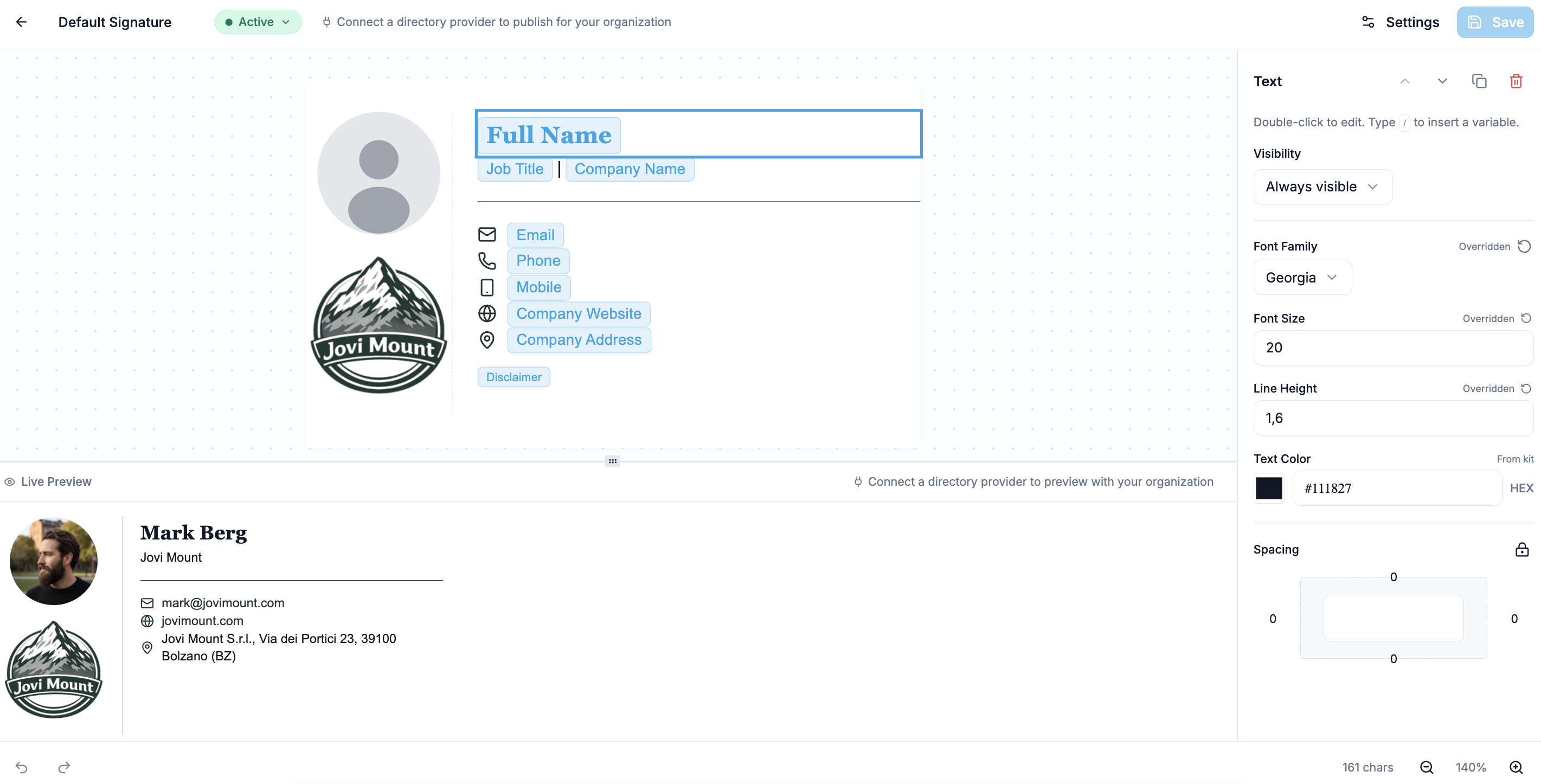
An extensive library of professional signatures, plus a drag and drop editor. Add banners and legal disclaimers, then push to the whole company in one click.
Control

Different signatures per team or department

  • Target signatures by team, group or location
  • Sales, Support and Legal each can get their own layout and disclaimer
  • Change a template once, publish, and every affected signature is updated

Still comparison shopping? Fair enough, we did the homework for you.

See how Signivo compares to other email signature software
Pricing

One price, no tiers

One euro per person per month. Move the slider and see your bill.

€1per user
per month

or €10 per user per year - two months free

  • Every feature included
  • Template library and the editor
  • Unlimited groups for teams and departments
  • Support from actual humans
  • No setup fees, no hidden costs
Your bill
12.000+
Thank you! Your submission has been received!
Oops! Something went wrong while submitting the form.
€1 × 250 users€250
Billed every monthper month
Total
VAT added at checkout
€250/ month
Pay yearly and two months are free - €2.500 instead of €3.000.

Monthly or yearly billing · Cancel anytime · No credit card

4.9 on OMR Reviews

Full breakdown, FAQ and the math behind the price →

FAQ

Google Workspace, answered

What access am I giving Signivo?
Read-only on your directory, write access to one thing. Signivo reads users, groups and org units so it can fill in names, titles and departments, and it cannot change anything there. The only thing it writes is the signature setting of each mailbox. You see the full list of permissions in the Google Admin console before you approve it, and you can withdraw it any time.
Can Signivo see the contents of my emails in Gmail?
No. Signivo does not read your mail. It touches the signature setting of each account, which is where a signature lives, and nothing else. No message is ever opened, stored, searched or forwarded.
Does Signivo need to be installed somewhere?
Not by your team. No add-in, no browser extension, nothing to roll out. One admin connects Signivo in the Google Admin console, and signatures are written from there. Anyone using a mail client other than Gmail can set theirs up from a link, but that is the exception.
Which Google Workspace admin role do I need to authorise Signivo?
Only a Super Admin can approve access to your directory in Google Workspace. The Super Admin does it once, and never touches it again.
How does a signature end up in the Gmail of all my colleagues?
You design the signature once in Signivo and choose who should get it. Signivo automatically fills in each person's name, job title and contact details from your Google Workspace directory, then writes the finished signature into their individual Gmail account. Before anything is written you as an admin get a list of exactly which mailboxes are affected, and nothing happens until you approve it.
Will the signature also be used on mobile devices?
Yes, in the Gmail app on iPhone and Android. Since 2025 the Gmail app uses the web signature, images and formatting included, unless someone has set their own signature on their phone. Signivo writes the web signature, so it carries across.
How quickly does a change in my directory reach the signatures?
Within the hour. Signivo checks your Google Workspace directory hourly and updates the affected signatures as soon as something changes, a new job title for example. You can also trigger a sync yourself instead of waiting.
How do I set different signatures by department or location, and what happens when someone moves?
You create different groups in Signivo. Point a signature at everyone, at one department such as Sales, at a Google group, at named colleagues or at a shared mailbox, and give each its own signature. Each signature has one target, and you can exclude individual people from it. If two signatures cover the same person, the higher priority one wins, so nobody ends up with two signatures. When a colleague moves to another team, they pick up that team's signature on the next sync.

Ready to never deal with signatures again?

Set up in 2 minutes. And if you still need convincing, scroll this page again.

Works with Google Workspace and Microsoft 365 · No credit card